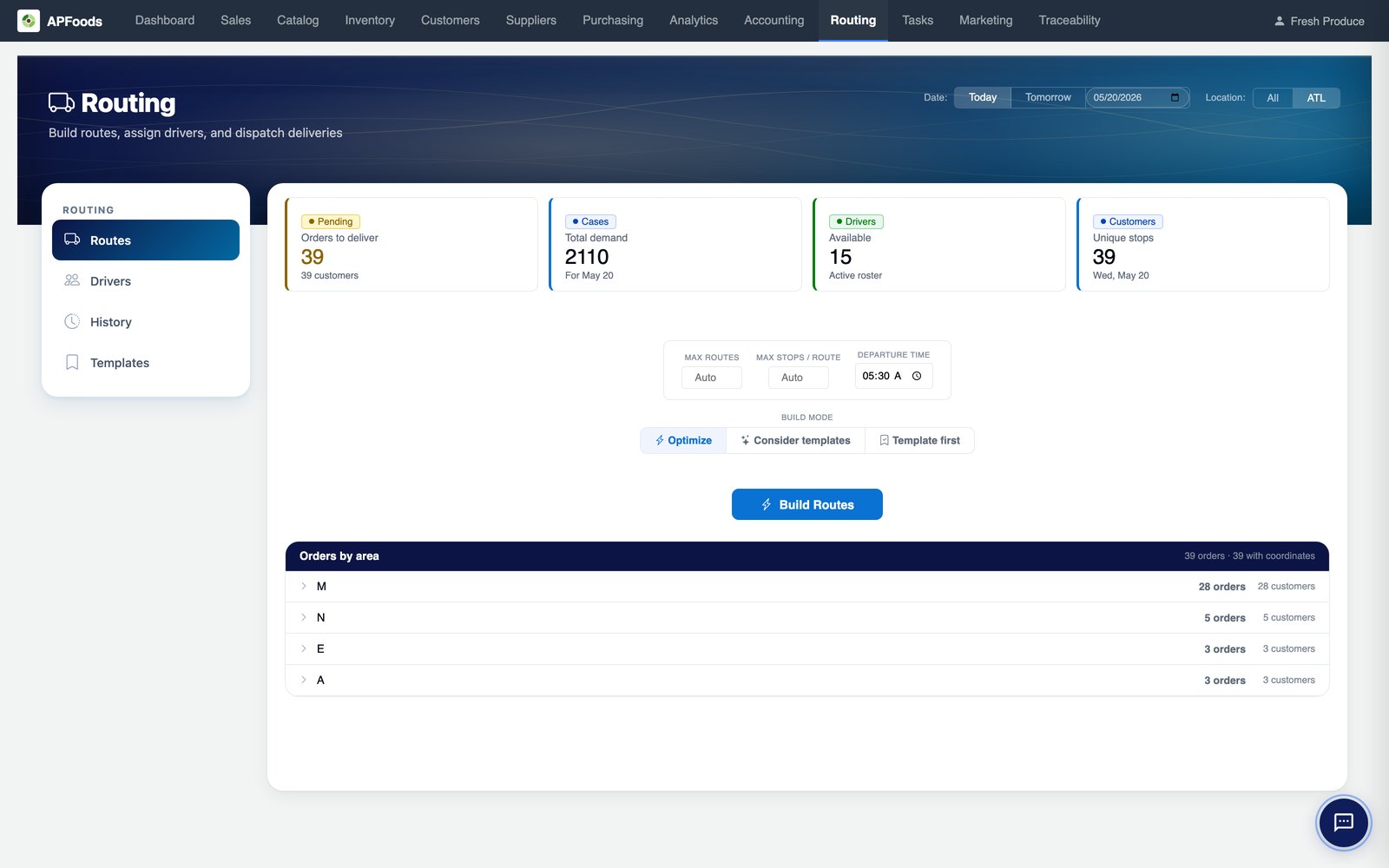
Build tomorrow's routes in minutes, not in spreadsheets.
Daily route building, template-aware optimization, driver assignment, and live dispatch — one workflow, one screen. Built for distributors who run dozens of trucks every morning.
Why routing is the hardest hour of the day.
Most food distributors still build routes in Excel or in a tool that doesn't understand cut-off times, truck capacity, or standing customers. The result: routes that look fine on paper and fall apart on the road — overloaded trucks, missed windows, drivers idling at locked back-doors.
APFoods routing pulls every constraint into one optimizer and produces routes you can actually run.
What's in the routing module.
Six capabilities that replace whatever you're stitching together today.
OR-Tools optimization
Industrial-grade CVRPTW solver under the hood — capacity, time windows, depot returns, multi-warehouse, all enforced.
Three build modes
Pure optimize, consider templates (sticky customers), or template-first (preserve standing routes). One toggle.
Per-warehouse cut-off enforcement
Same-day / next-day cut-offs per warehouse — orders past cut-off auto-roll to the next eligible day.
Driver roster + assignment
Active roster, vehicle pairing, availability calendar — assign drivers to routes with one click or auto-assign.
Live dispatch
Drag-and-drop stop reordering, hold/release, dispatch all — every move surfaces on the driver app instantly.
Mobile driver app
iOS + Android: turn-by-turn, signature capture, pod photos, partial-delivery flow, exception logging.
Keep your standing customers where they belong — and still optimize.
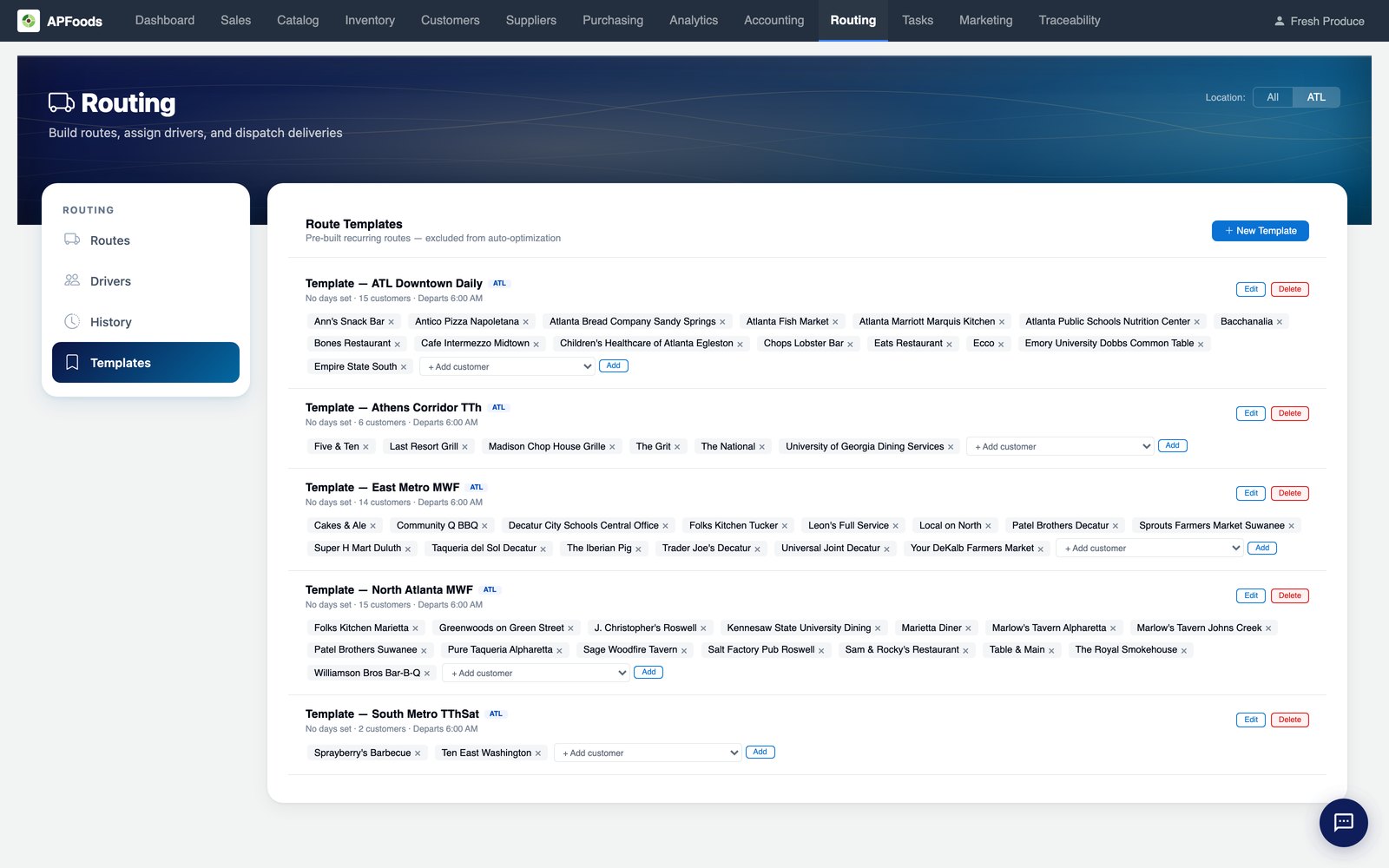
"Mr. Patel always wants Carlos." Most optimizers don't care. APFoods does. Choose Template first to lock standing routes in place, or Consider templates to nudge the optimizer toward template-customer continuity within an efficiency budget.
- Per-route weekday templates (Mon/Wed/Fri, Tue/Thu/Sat, etc.)
- Stickiness budget — controls how much detour the optimizer accepts to keep customers on their usual route
- Edit template membership, departure time, and weekday set inline — no spreadsheet round-trip
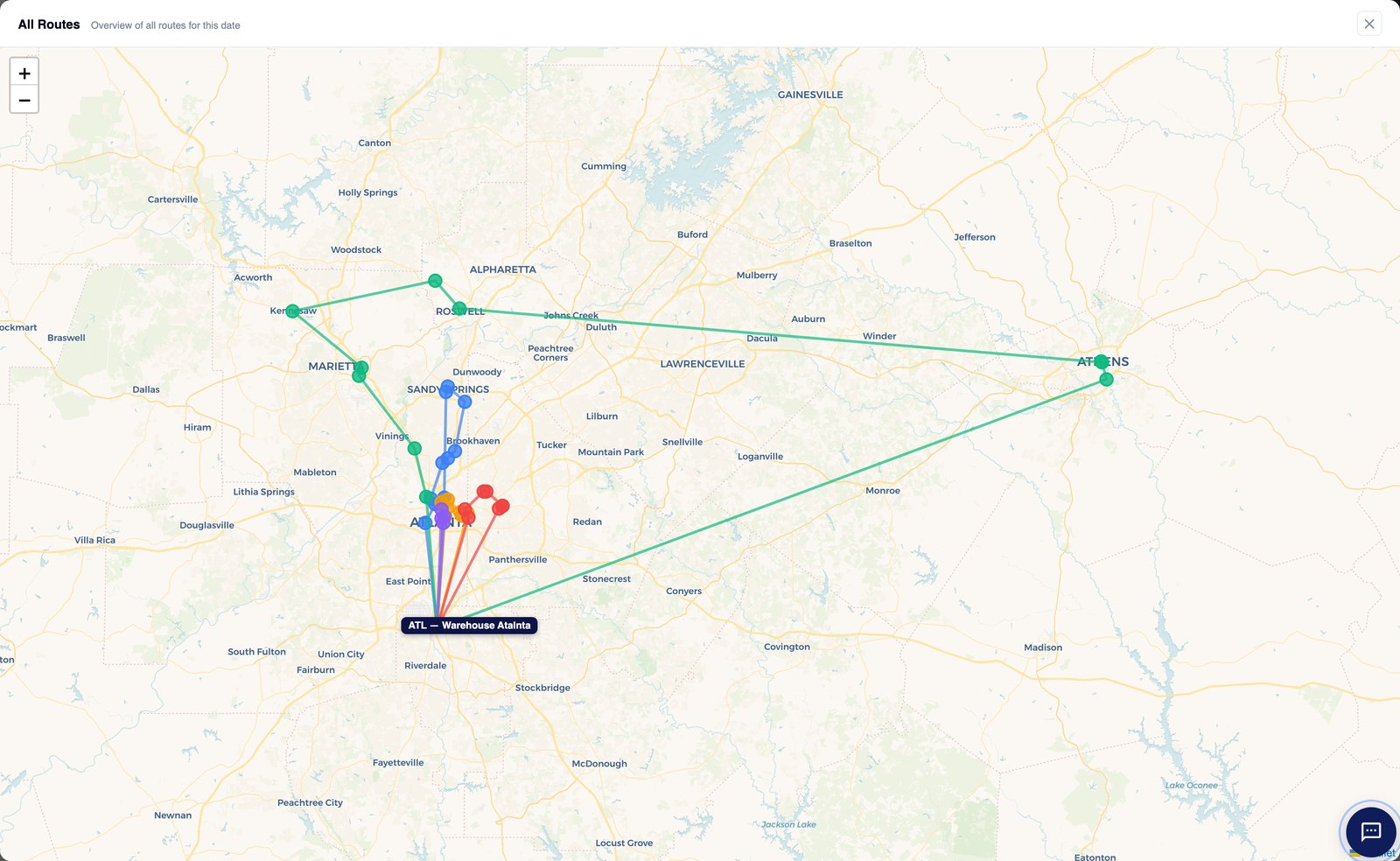
See the whole day on one map.
Every route, every stop, every depot — color-coded by route, line-styled by warehouse. Spot the route that's spread too thin or the one that's running back and forth across town before drivers leave the yard.
- Color per route, dash pattern per warehouse
- Click any colored line to drill into the route detail
- Depot markers + ETA tracking for dispatched routes
Drill into a route — stops, sequence, map, all in one place.
Click any route to see its stops in driving order alongside the live map. Drag a stop to resequence and the map updates instantly. Capacity, mileage, and timing recalculate every move.
- Drag-and-drop stop resequencing with live map sync
- Per-stop customer name + order summary at a glance
- Header shows driver, total cases, weight utilization, miles, and time window
- "Reset to original" undo if you want the optimizer's plan back
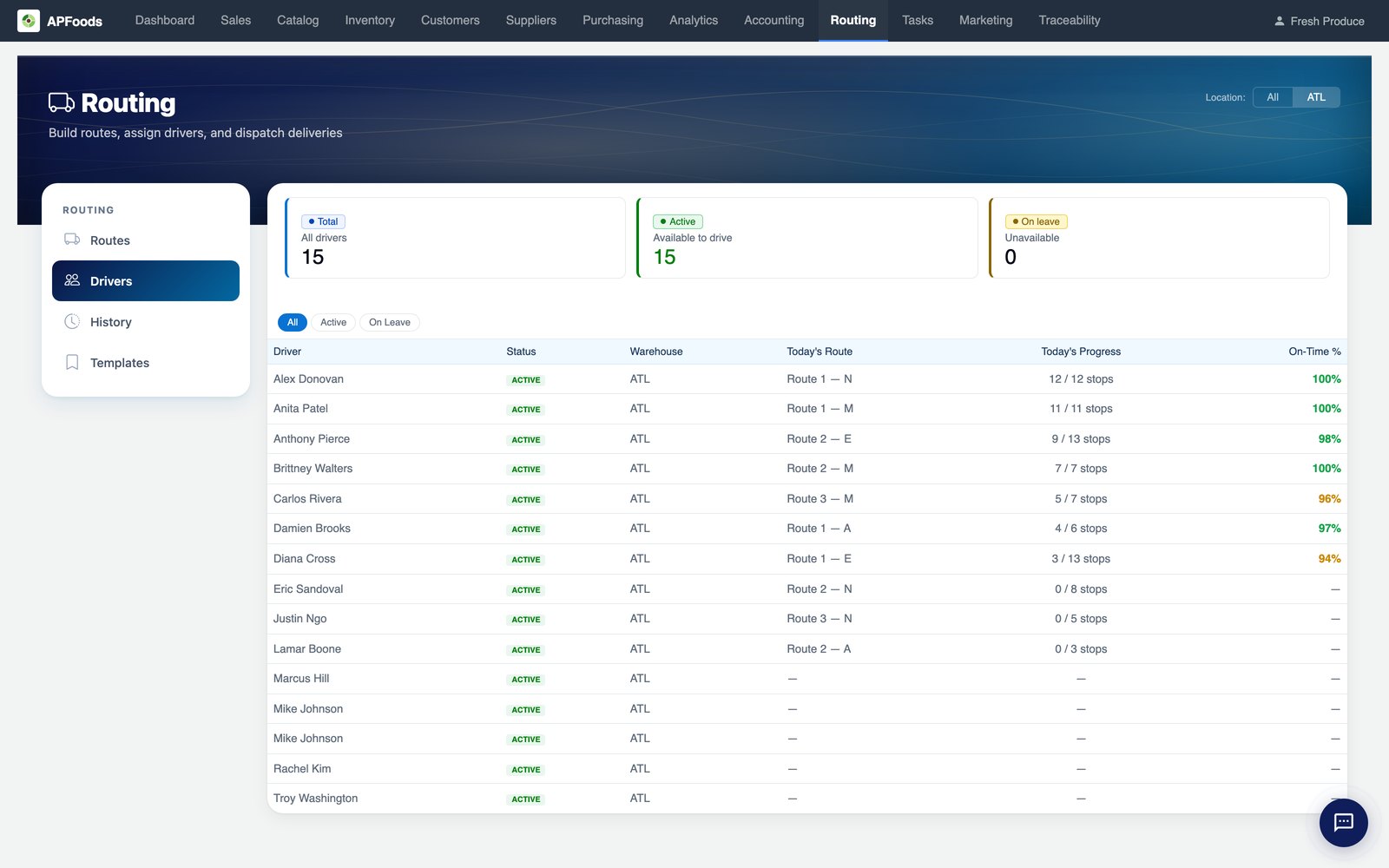
One source of truth for who's driving what, when.
Drivers, today's assigned route, live progress, and on-time percentage — all on one screen. Route-building picks from the eligible roster and respects truck capacity, refrigeration class, and the driver's home depot.
- Live "Today's Progress" updates from the driver app stop-by-stop
- On-time % colored by health — green ≥97%, amber ≥90%, red below
- Vehicle ↔ driver pairing with capacity inheritance
- License + medical-card expiry alerts
One tap to settle a delivery.
The driver app puts everything that matters on the in-cab screen: next stop, address, case count, the customer's phone number, and three big outcome buttons. Drivers don't dig through menus to log a delivery — they tap once and move on.
- Delivered in full — capture signature + POD photo, mark complete
- Partial delivery — line-by-line shortage flow, customer-visible reason
- Failed delivery — reason codes (closed, refused, wrong address) feed AR + the next-day reschedule
- One-tap call to the customer contact, native navigation handoff
- Stop progress dots so the driver knows what's left without a menu
Routing FAQ
How many stops per route can the optimizer handle?
The solver scales to ~200 stops × 50 vehicles per warehouse for a single optimization run, well above what almost any independent distributor needs. Larger fleets are sharded by depot.
Do you support multi-warehouse fleets?
Yes. Each warehouse has its own driver roster, vehicles, cut-off times, and depot location. Cross-warehouse loads are supported when a customer is closer to a neighboring DC.
What about pickup-from-supplier routes?
Pickup stops are first-class. Mix delivery + pickup on the same route; the optimizer accounts for capacity recovered after delivery before adding pickup tonnage.
Can drivers re-sequence their own stops?
By default, drivers see the optimized sequence. They can flag a re-sequence request from the app, which the dispatcher approves or denies. Self-resequence-on-route is a per-tenant policy switch.
How does dispatch handle exceptions mid-day?
Stops can be held, pushed to tomorrow, or re-assigned to another route while drivers are on the road. The driver app updates the next stop in real time.
Does this work without GPS-equipped trucks?
Yes — the driver app uses phone GPS. No fleet-telematics hardware required. Existing telematics (Samsara, Geotab) integrates if you have it.
Routing pairs naturally with…
See it on your route map.
30 minutes, your customers, your route days. We'll load a sample week and walk the optimizer through it together.
Book a routing demo