Lots, expiry and FEFO, built for product that goes bad.
Every receipt becomes a lot with its supplier, dates, origin and cost. Stock is ordered first-expired, first-out, quarantine has its own path, and the value of what is on the shelf is always current.
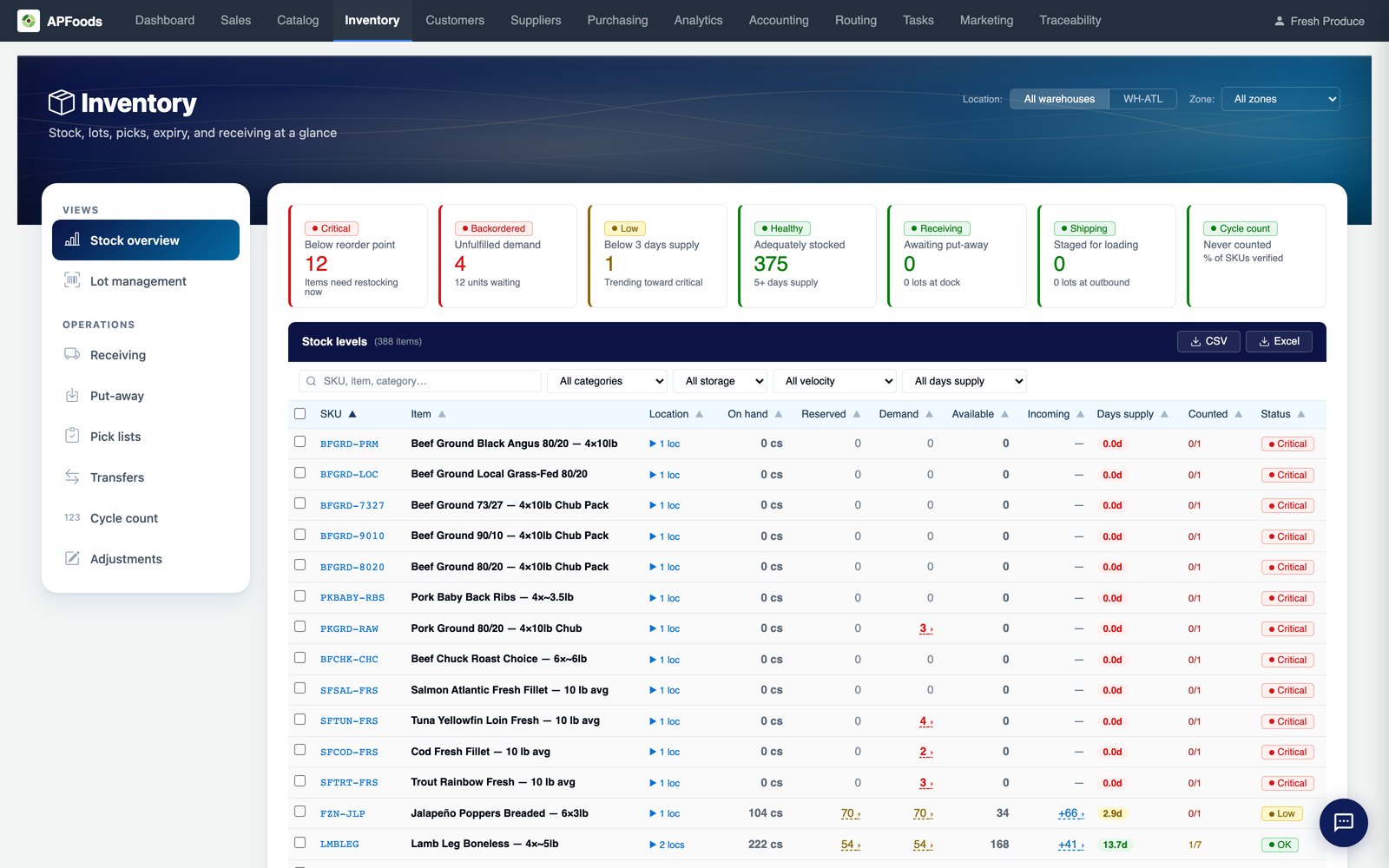
Generic systems treat inventory as a number. Food distribution is lots.
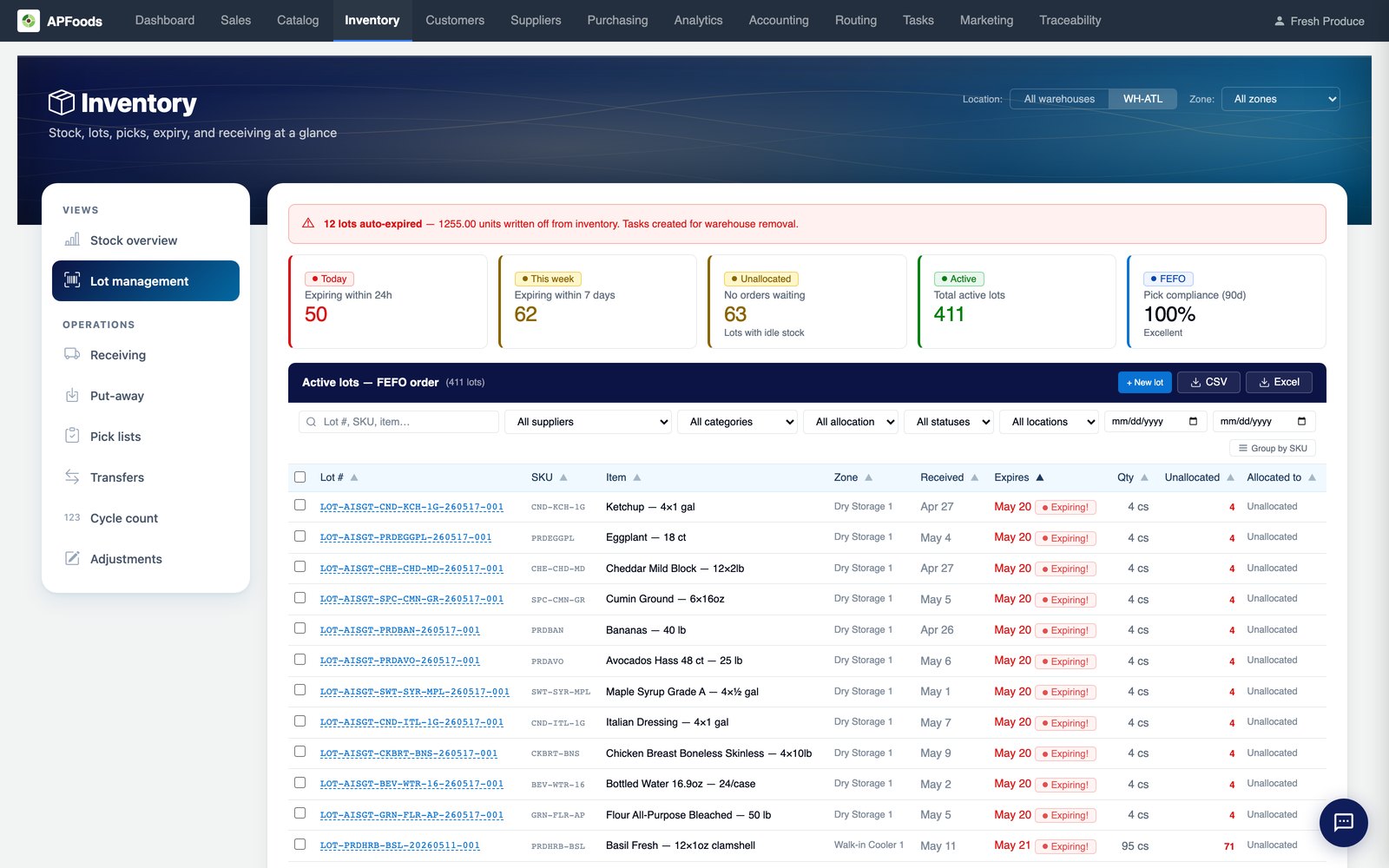
Two pallets of the same item with different expiry dates are not the same stock. A system that only knows the quantity cannot tell you which one to ship, which one to discount and which one to pull.
APFoodz tracks every pallet as a lot, from receipt to the customer, and every stock decision reads the lot.
What is in inventory.
Lot per pallet
Supplier, PO, packer lot code, GTIN, production and expiry dates, weight, origin and cost.
Expiry tracking
Track everything, perishables only, or nothing, with grace days and automatic expiry checks.
FEFO
Lots ordered oldest expiry first; a different lot scanned at pick is recorded as an override.
Flexible allocation
Commit stock when an order is confirmed or when it is picked, whichever fits how you work.
QC hold and quarantine
Hold at receiving with a reason, quarantine, and release all or part.
Put-away suggestions
Suggested locations that fit the item, the stock already on hand and its temperature.
Temperature classes
Ambient, refrigerated, frozen and gas-room locations; an incompatible zone is refused.
Cycle counts
By zone or SKU, by scan, with approval above a variance and posting to the ledger.
Adjustments and donations
Reasoned adjustments, internal use by expense account, and a donations register.
Transfers
Move a lot between locations or into another warehouse.
Stock overview
Critical, low and OK by reorder point and days of supply, with value and uncosted stock.
Valuation
Weighted average cost per item and warehouse, with freight in the cost.
First-expired, first-out, with a quarantine path for everything.
The lots tab shows what expires in the next day and week, what is unallocated and how closely picks have followed FEFO.
- Expired stock withheld or flagged, by your policy
- Sell expired stock as second-hand at a capped discount, per SKU
- Bulk quarantine, partial release with the rest written off
Pick lists that know what is on the shelf.
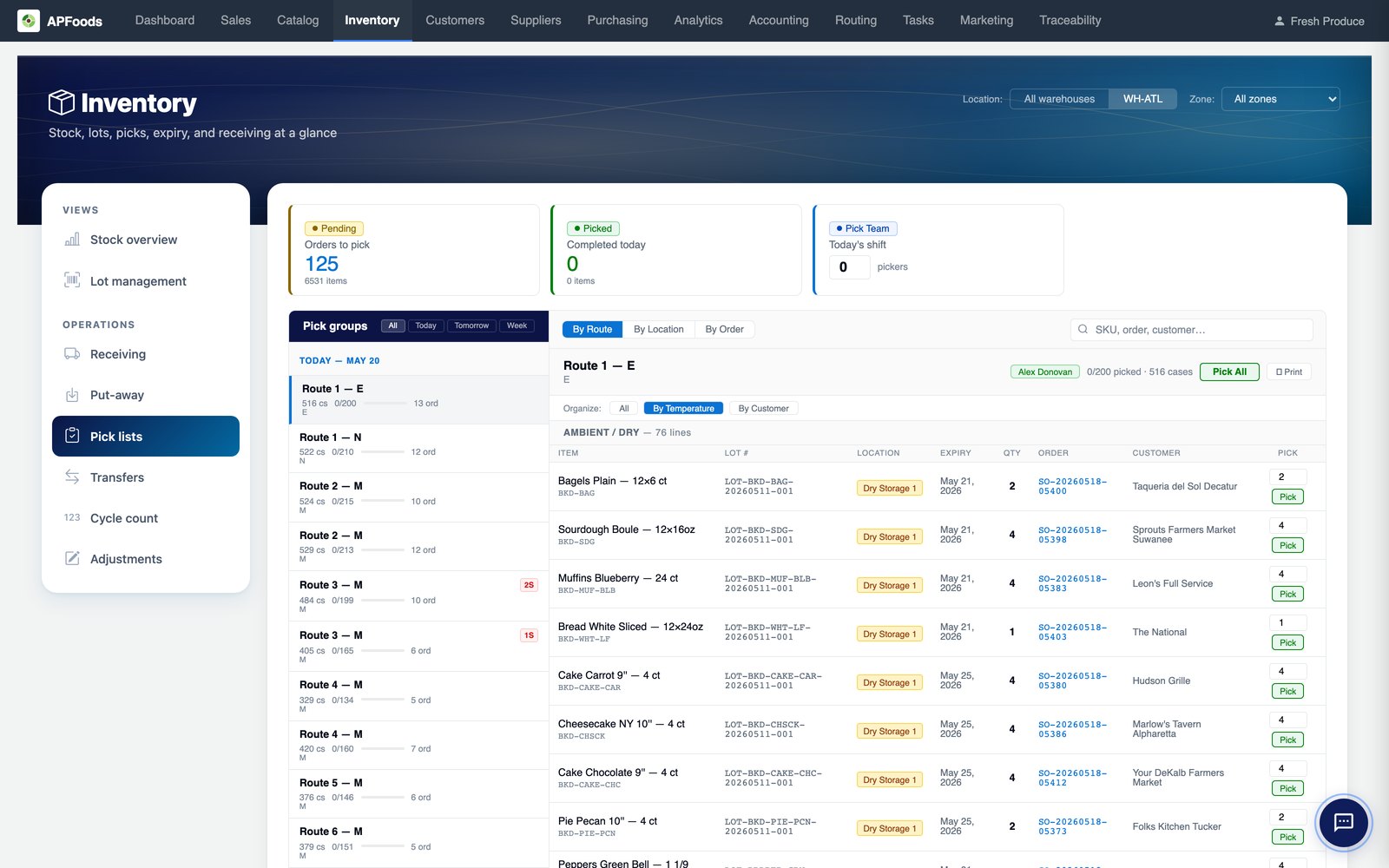
Pick lists are grouped by route and can be organised by temperature, so cold product is picked last. Shorts are resolved at the shelf: found it, substitute, buy outside or ship short.
- A morning board of today's shorts with a buy sheet
- Pick more than ordered with a reason, when you allow it
- Reverse a picked line with a reason code
Picking and receiving on a phone or a Zebra handheld.
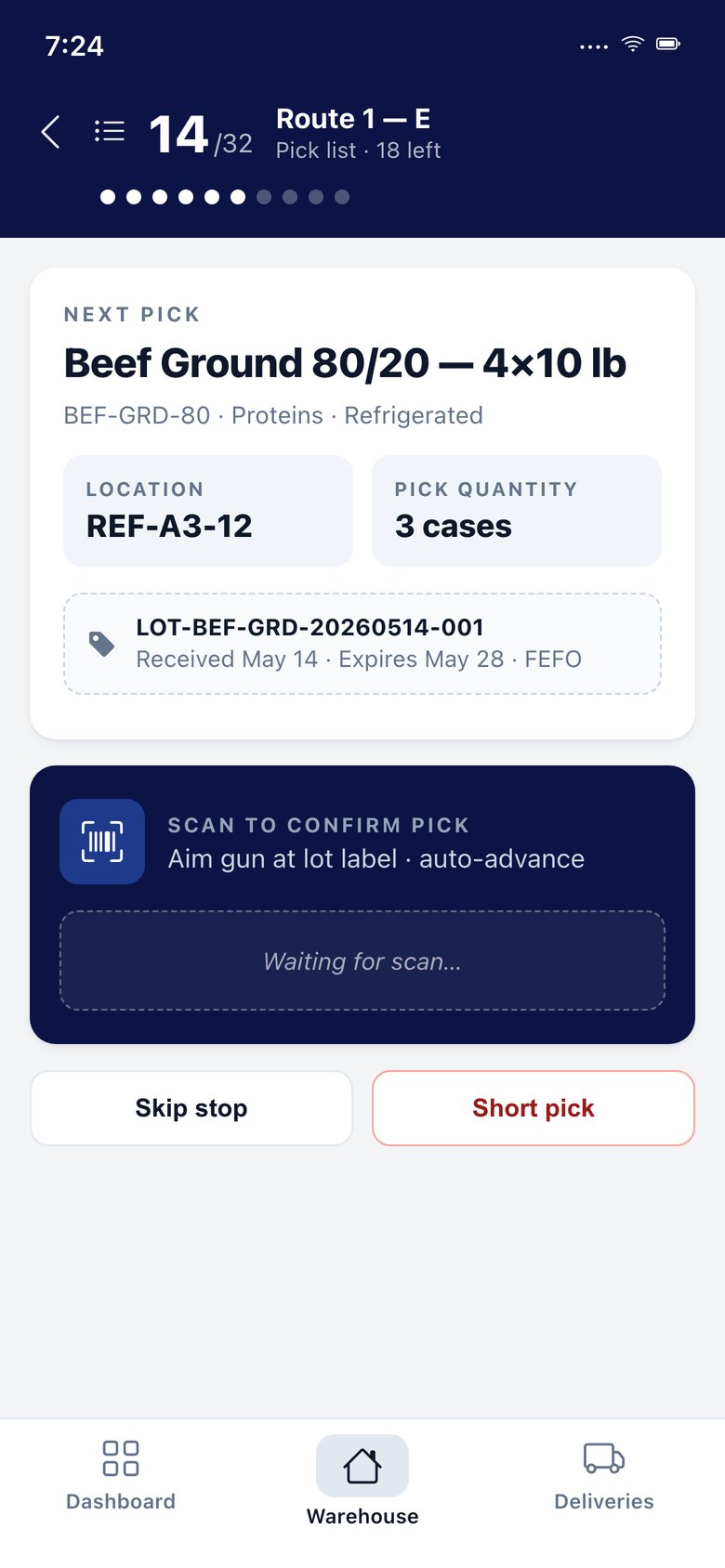
The APFoodz warehouse app scans with the device camera or a Zebra handheld's built-in scanner, and reads supplier GS1 case labels at receiving.
 Pick
Pick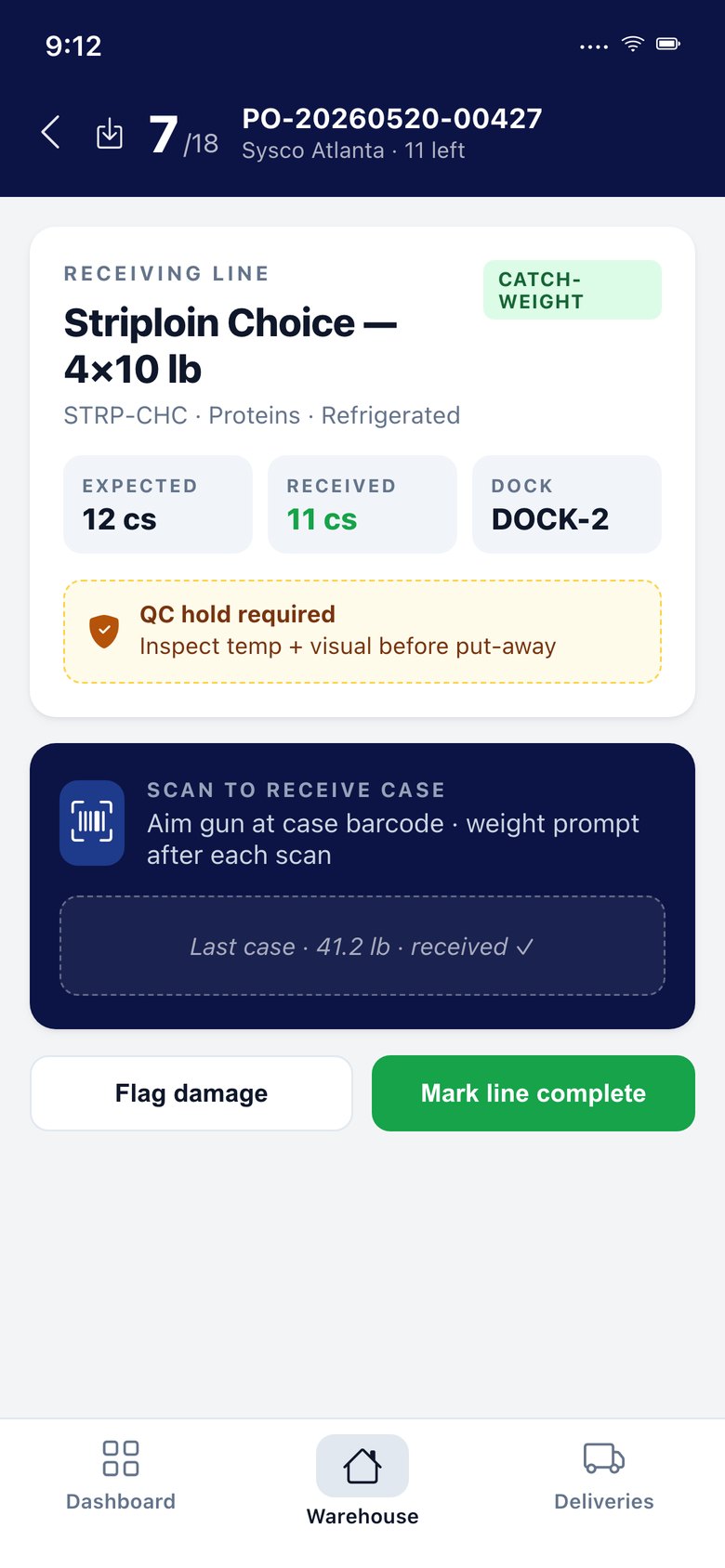 Receive
Inventory & lots: questions we are asked.
Do we have to reserve stock when an order is confirmed?
No. You choose whether stock is committed when an order is confirmed or when it is picked, and you can change the setting later.
How are warehouse locations set up?
Locations are zones and stations drawn on your warehouse layout, such as cooler, freezer, dry, dock, returns and gas room, with capacity and allowed categories.
How is inventory valued?
At weighted average cost per item and warehouse, including freight. An approved three-way match re-costs the stock still on hand to the invoiced price.
Terms on this page
Inventory & lots works with
See it with your own data.
A working session on your own items, customers and route days. Thirty minutes.
Get a demo