Orders, invoices and receivables on one screen.
Each rep works from one view of their own customers: today's orders, what is on hold, what is past due and who needs a call. The same record feeds the warehouse, the trucks and the books.
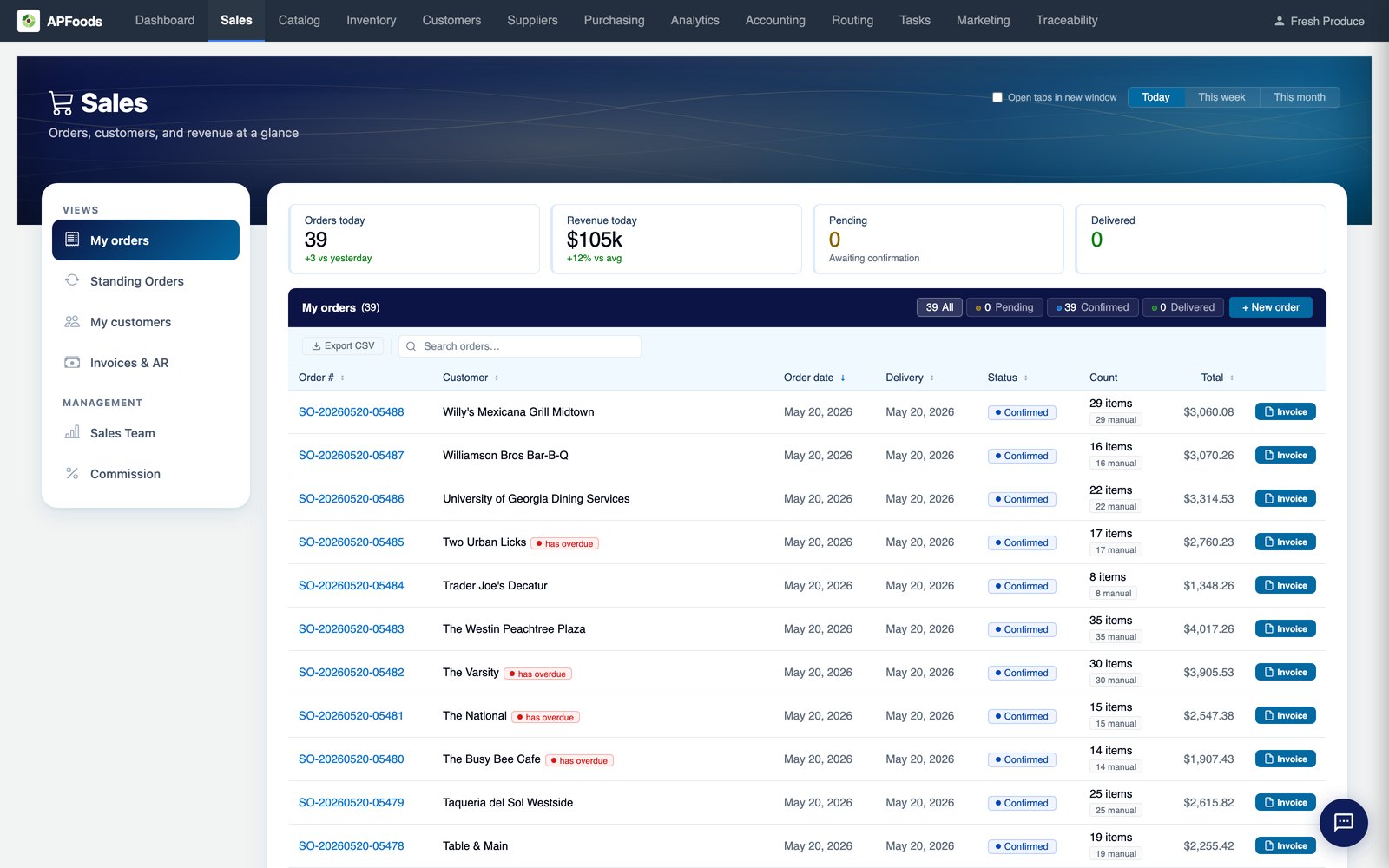
A rep's day is one conversation, not six tabs.
What did the account order, did it ship, did they pay, and what should come up on the next call? In most systems that answer lives across an orders screen, an invoices screen, a customer screen and an aging report.
In APFoodz they are one view, scoped to the rep's own book, with cut-offs, credit checks and pricing applied before an order is placed.
What is in sales and AR.
Order builder
Search by SKU or name, see the customer's price, availability, incoming stock and margin on every line, and place with the keyboard.
Standing orders
Recurring orders on the schedule each customer buys on, with the same credit checks as any other order.
Customer pricing
Approved prices, customer tiers, special-price deals and pricing groups, giving one price on every channel.
Credit control
Credit checks before an order is placed, each set to warn, hold for approval or block.
Invoices and AR
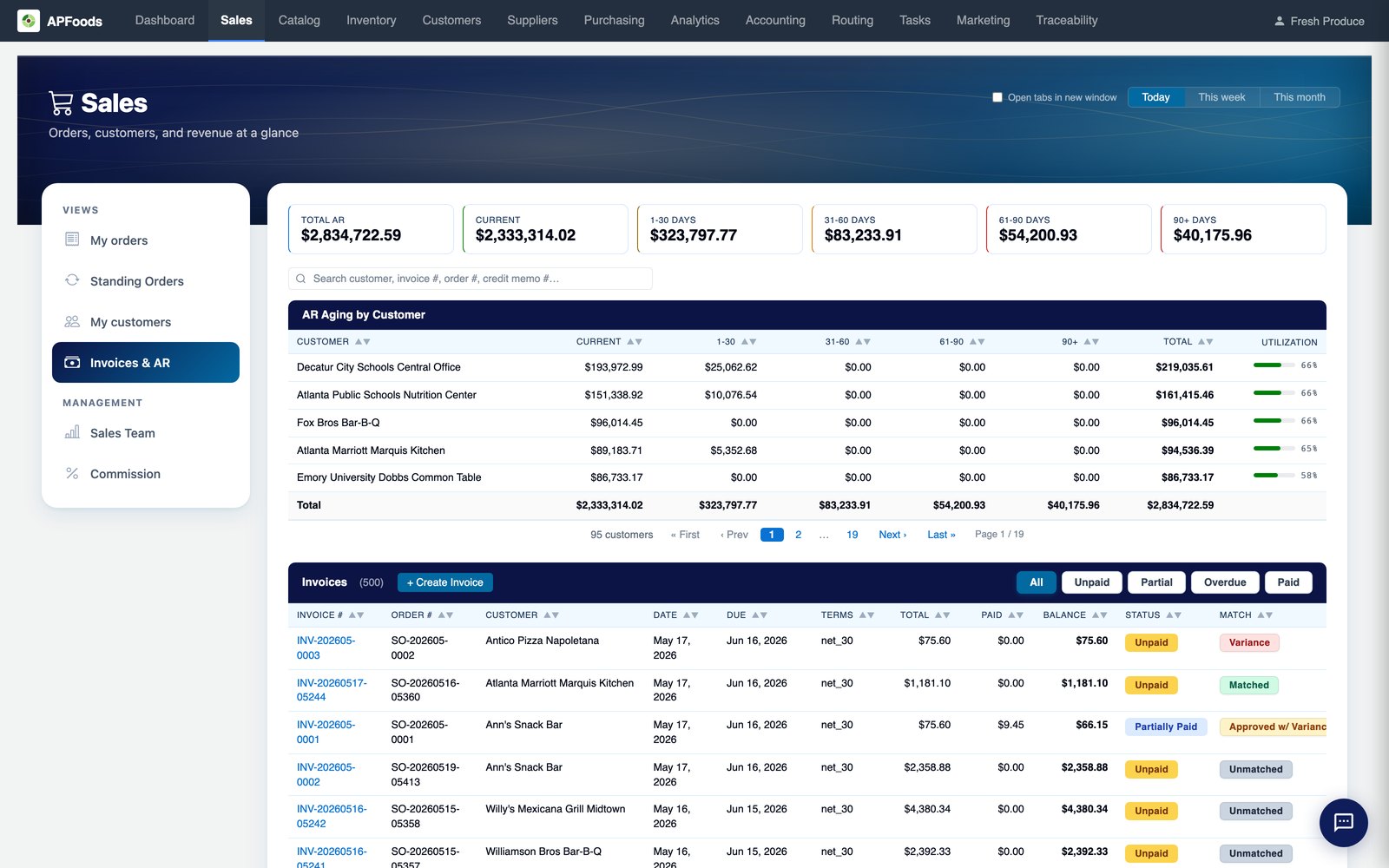
Invoice PDFs and email, AR aging in your own date ranges, statements, payments and cash application.
Returns and credit memos
Truck pickup, drop-off or credit only, with reason codes, return paperwork and optional approval.
Commissions
Paid on margin, with the rates you set and clawbacks when a sale comes back.
Customer analytics
Each account staged active, at risk, lapsed or lost against its own ordering rhythm.
Orders, standing orders, customers and AR, one click apart.
The Sales tab is built around a rep's book. Reps can be limited to their own customers in the permission matrix, and managers see the whole team.
- My orders with in-flight, delivered, missed-delivery and low-margin filters
- Proof-of-delivery photos and signer names from the list
- Export to CSV, Excel or PDF, with or without totals and margin
Aging by customer, down to the invoice.
AR aging uses the date ranges your business chooses, from the usual monthly steps to a weekly first month for short terms. The same ranges appear on the customer page, statements and reports.
- Scheduled statements by email or text
- Overdue reminder email when an invoice falls past due
- One payment applied across many invoices
Sales & AR: questions we are asked.
Can a rep see only their own customers?
Yes. Permissions can limit a sales rep to the customers assigned to them, while managers see the whole team.
What happens when an order is placed after the cut-off?
Each warehouse sets its own cut-off. A delivery date that can no longer be made is refused, with the earliest date that can.
Can an order change after it is confirmed?
Yes. Confirmed orders can still be edited as they move through the warehouse, within limits that keep the pick, the truck and the invoice in step.
Do storefront and text-message orders go through the same rules?
Yes. They use the same pricing, cut-offs and credit checks as a rep's order, and can be set to wait for a rep's approval.
Terms on this page
Works with
Sales & AR works with
See it with your own data.
A working session on your own items, customers and route days. Thirty minutes.
Get a demo