One tap to settle a delivery, with the proof attached.
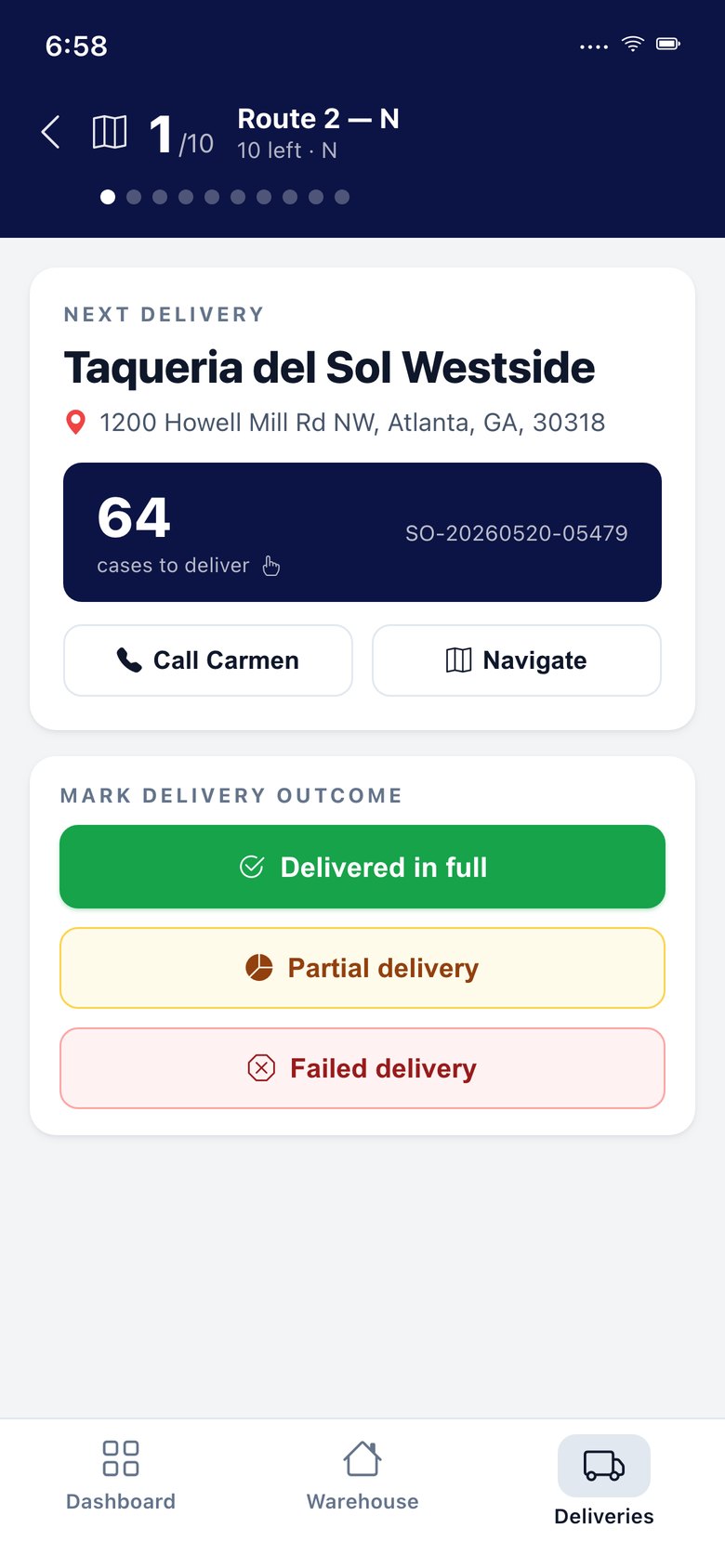
Drivers work their route from the APFoodz app: stops in order, navigation, a signature and photos at the door, and what was delivered, refused or brought back, line by line.
A delivery dispute is a credit unless there is a record.
When a customer says a case never arrived, or arrived damaged, the only defence is what happened at the door, recorded when it happened.
The driver app records the signer, the photos and the count per line, and the invoice follows what was actually delivered.
What is in the driver app.
Route and stops
The route list, stops with order lines and the customer's payment terms, and a route map.
Navigation
Open Google or Apple Maps to the next stop.
Proof of delivery
A drawn signature, the signer's name and photos.
Partial deliveries
Delivered count per line with a reason; the invoice bills what was delivered.
Failed deliveries
Customer closed, refused, wrong address or outside the window.
Returns at the door
Return pickups with collected counts that land on the returns dock.
Start and return
Route start and return stamps for driver hours.
Customer notices
Out for delivery, delivered, partially delivered and failed delivery, by email or text.
Works offline
Drivers keep working when the signal drops.
The outcome of every stop, recorded at the stop.
Delivered, partial, failed or a return pickup, each with what happened and why.
Driver app & proof of delivery: questions we are asked.
Is the driver app a separate purchase?
No. It is part of the APFoodz mobile app, priced by the people who use it.
Terms on this page
Driver app & proof of delivery works with
See it with your own data.
A working session on your own items, customers and route days. Thirty minutes.
Get a demo