The warehouse floor runs on a phone.
Pick, receive, put away, count and print labels from the APFoodz warehouse app on iOS and Android, with the camera or a Zebra handheld's built-in scanner.
Clipboards do not know what is on the shelf.
Paper pick lists, keyed-in receipts and end-of-day counts leave the system hours behind the floor, and every mistake is found at the customer's door.
The warehouse app records each scan as it happens, so stock, lots and traceability are current while the trucks are still loading.
What is in the app.
Scan to pick
Confirm each line by scan, substitute, or record an outside buy; group and batch picks.
Scan enforcement
Set how strict scanning is for each warehouse, so a wrong item is caught at the shelf.
GS1 receiving
Reads supplier case labels straight into the lot, and learns new barcodes.
Weights and temperatures
Weight checks for catch-weight items and receiving temperatures, with warnings.
Put-away
Find the put-away row by scanning the lot, including returns and outbound dock stock.
Cycle counts
Count sessions by zone, count by scan, with blind count sheets.
Ripening room board
See ripening lots and record a ripeness check.
Label printing
Print from the phone to a Bluetooth Zebra printer.
Keeps working offline
Put-away, counts, QC release, tasks and driver actions carry on when the signal drops.
Sign in without email
Warehouse staff can sign in with a phone number or ID and a PIN, with a biometric app lock.
Two screens the floor uses all day.
The pick screen names the line, the lot and the quantity; the receiving screen walks a pallet from scan to label.
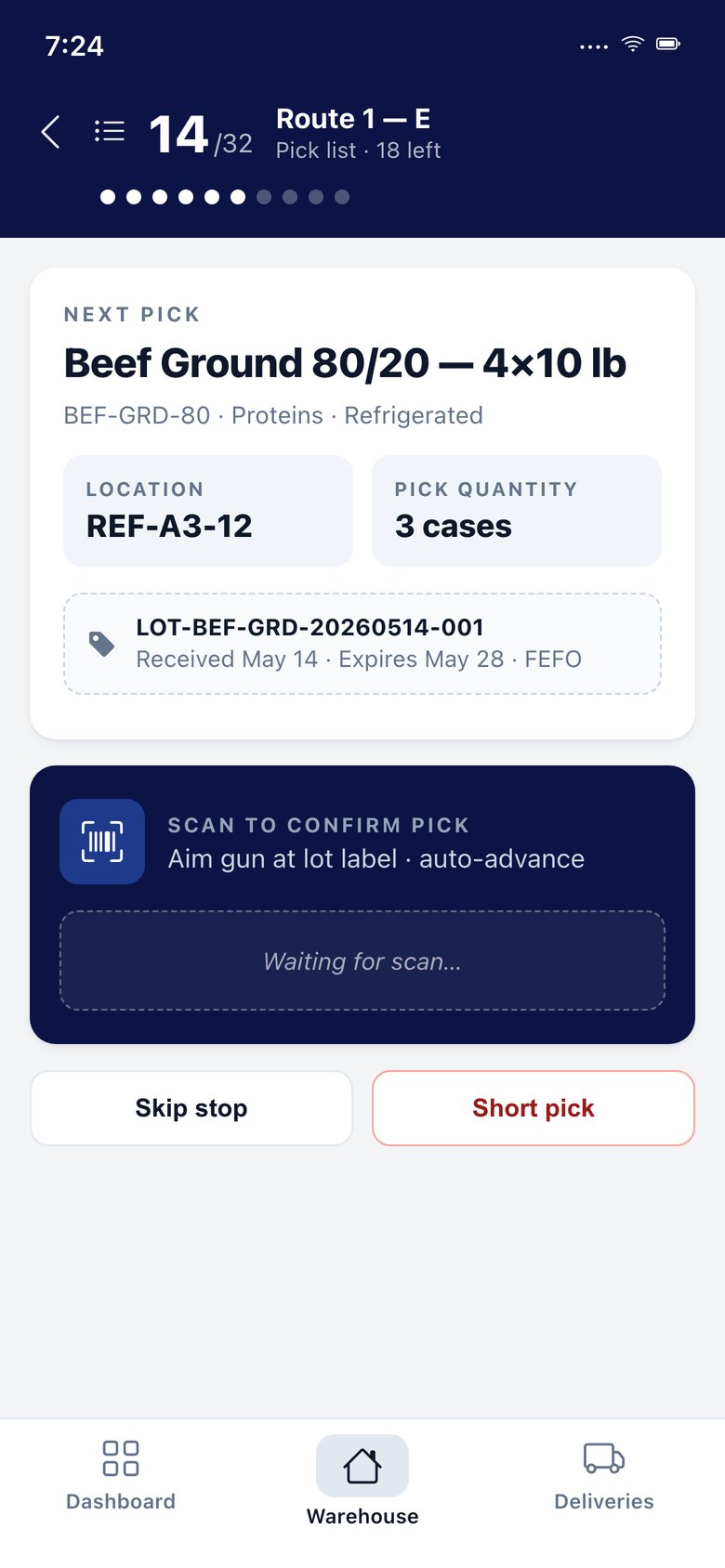 Pick
Pick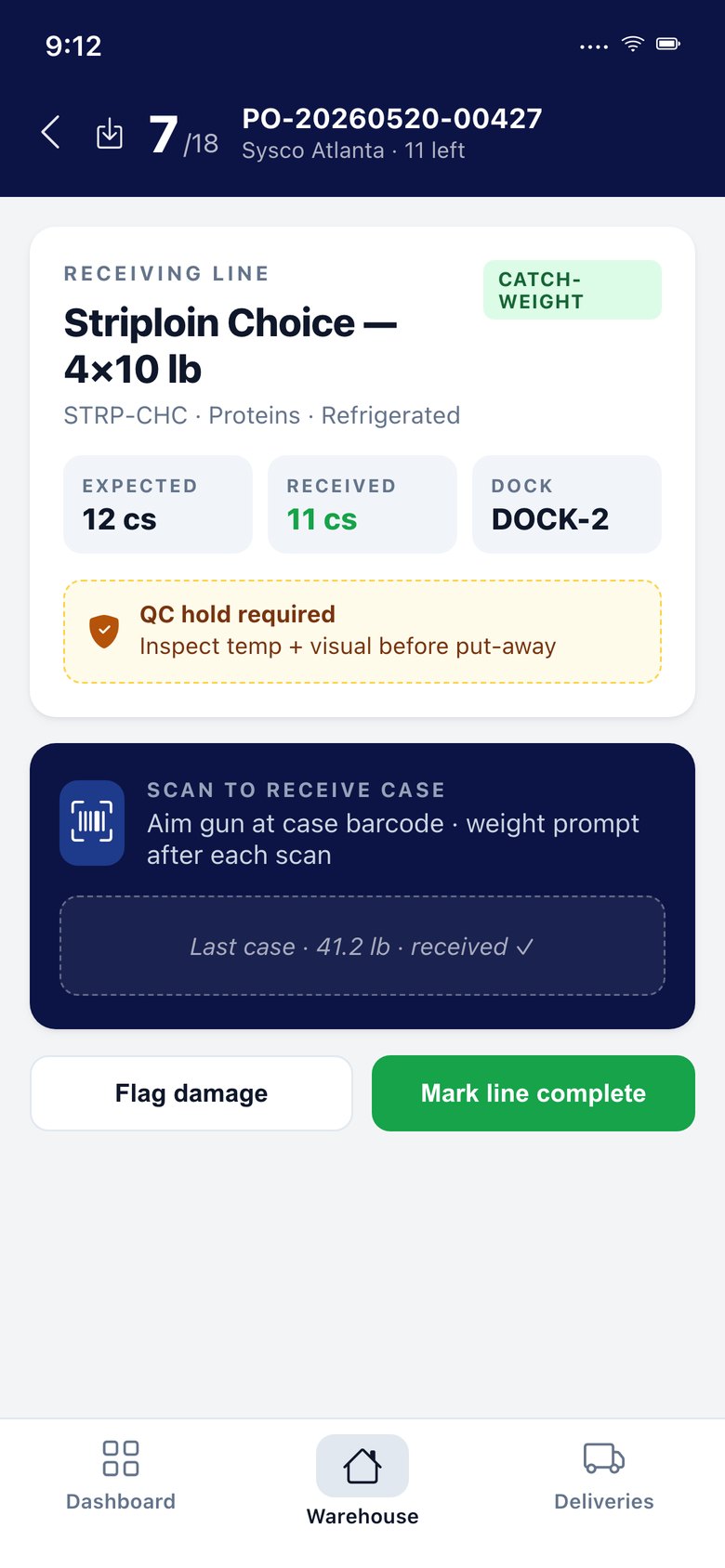 Receive
Warehouse app & scanning: questions we are asked.
Which scanners work?
The phone's camera, and the built-in scanner on Zebra handhelds. Desktop wedge scanners work in the browser.
Does it work without signal?
Put-away, counts, QC release, tasks and driver actions keep working when the signal drops and catch up when it returns.
Is the app included?
Yes. The warehouse and driver apps are part of the platform, priced by the people who use them.
Terms on this page
Works with
Warehouse app & scanning works with
See it with your own data.
A working session on your own items, customers and route days. Thirty minutes.
Get a demo